How to Delete Your Truecaller Account and Unlist Number Using Different Methods Online: A Step-By-Step Guide
Truecaller is a popular caller-ID and spam-blocking service used by millions worldwide, including India. It works by collecting contact information from users’ phones and maintaining a massive global database of phone numbers.
While Truecaller is useful for identifying spam calls, many users choose to delete their Truecaller account or remove (unlist) their number because of:
- Privacy concerns
- Data sharing and contact syncing
- Too many notifications
- Switching to alternative apps
- No longer wanting their number visible to others
It is important to understand that uninstalling the app alone does NOT remove your number from Truecaller’s database. You must follow the correct steps.
Difference Between “Deleting Account” and “Unlisting Number”
Before proceeding, understand this clearly:
🔹 Deleting Truecaller Account
- Removes your profile from Truecaller
- Stops Truecaller services for your number
- Required before uninstalling the app
🔹 Unlisting Your Number
- Removes your number from public search results
- Prevents others from seeing your name
- Can be done even without the app
👉 Best practice: First delete your account, then unlist your number.
Method 1: Delete Truecaller Account on Android (Step-by-Step)


Step 1: Open Truecaller App
- Launch the Truecaller app on your Android phone
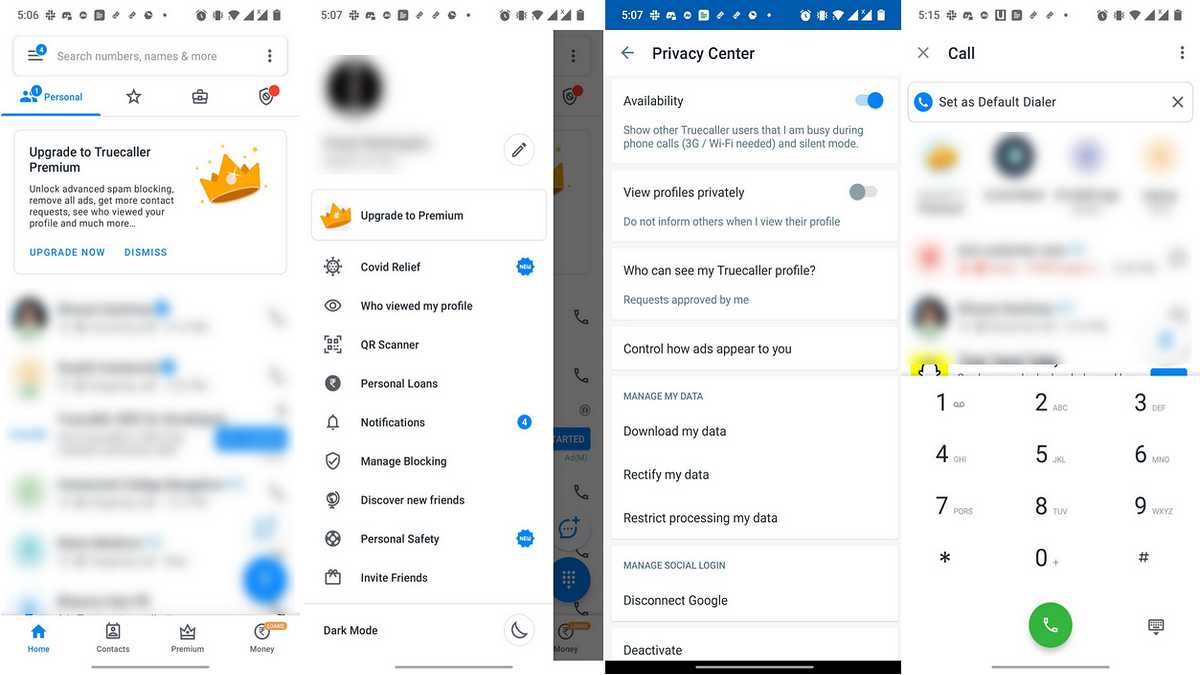
Step 2: Go to Settings
- Tap the three-line menu (☰) or your profile picture
- Select Settings
Step 3: Open Privacy Center
- Scroll down and tap Privacy Center
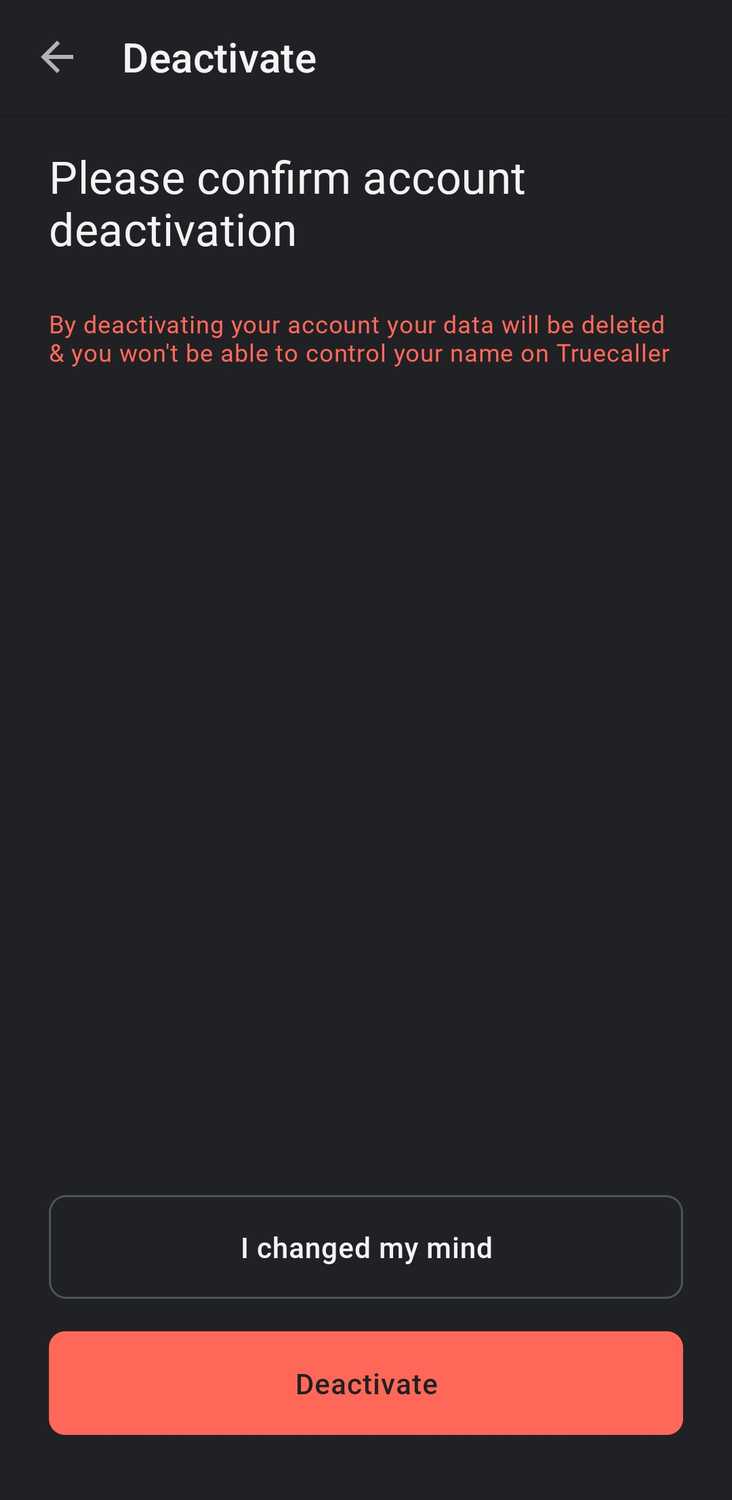
Step 4: Delete Your Account
- Tap Deactivate account
- Choose Yes, delete my account
Step 5: Verify Your Number
- Enter your phone number
- Confirm via OTP (SMS verification)
✅ Your Truecaller account is now deleted.
⚠️ Important: Do NOT uninstall the app before deleting the account.
Method 2: Delete Truecaller Account on iPhone (iOS)
Step 1: Open the App
- Launch Truecaller on your iPhone
Step 2: Access Settings
- Tap your profile icon
- Select Settings
Step 3: Privacy Center
- Go to Privacy Center
Step 4: Deactivate Account
- Tap Deactivate Account
- Confirm deletion
- Verify via OTP
✅ Account deletion process is complete on iOS.
Method 3: Unlist Your Number from Truecaller Website (Without App)
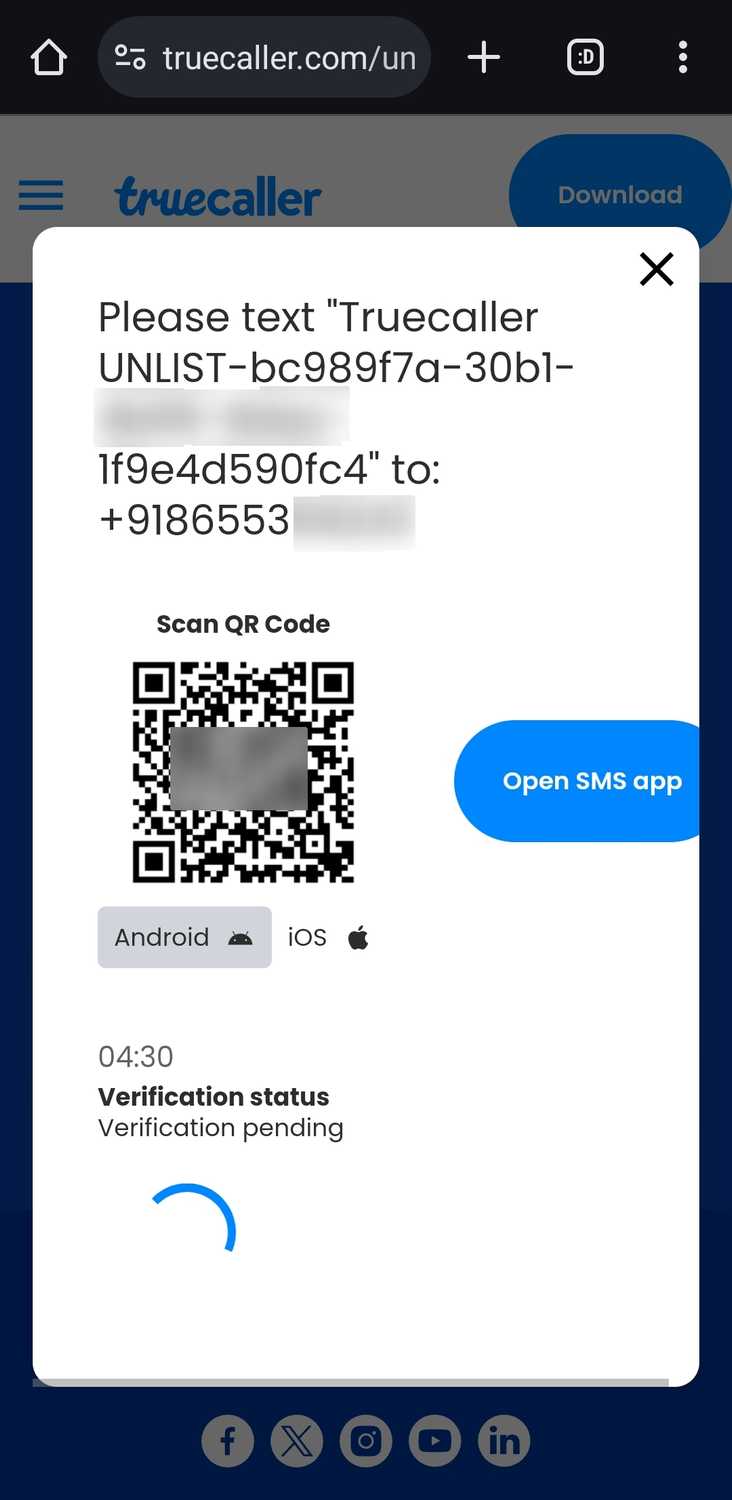
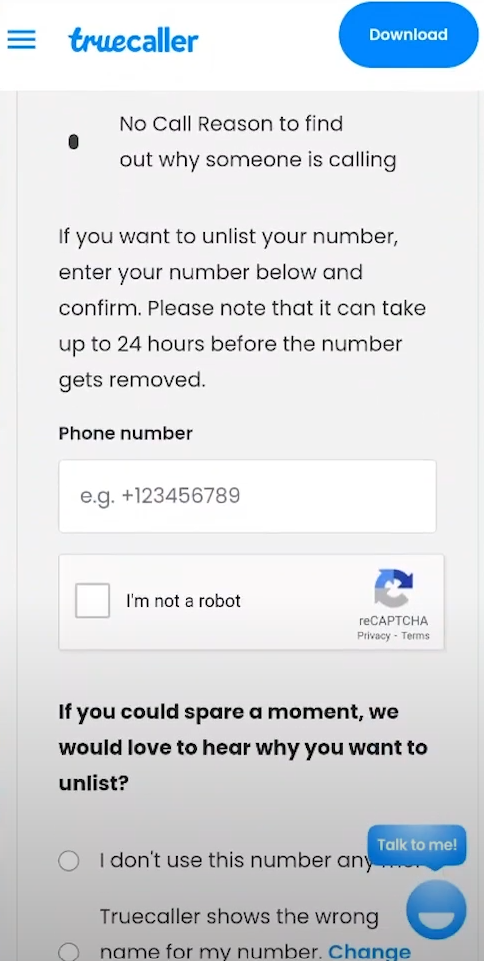
This method is very important, especially if you have already uninstalled the app.
Step 1: Visit Truecaller Unlist Page
- Open browser
- Go to Truecaller’s official Unlist Number page
Step 2: Enter Phone Number
- Select your country code
- Enter your mobile number
- Click Unlist
Step 3: Verify via SMS
- You will receive a verification code
- Enter the code on the website
Step 4: Confirmation
- Your number will be removed from search results
⏳ Processing time:
- Usually 24 hours
- May take up to 48 hours
Method 4: Unlist Number If You Don’t Have Access to the App
This applies if:
- You changed phones
- App is deleted
- Number still appears on Truecaller
Steps:
- Visit the Unlist page
- Verify your number via SMS
- Submit request
💡 Note:
Unlisting removes your number from search results but does not stop Truecaller users from reporting spam calls.
What Happens After Deleting & Unlisting?
✔️ Benefits
- Your name/photo removed
- Number hidden from Truecaller search
- No profile visibility
- Reduced data sharing
❌ Limitations
- Spam tagging may still exist
- If someone uploads contacts again, data may reappear
- You may need to re-unlist after reinstalling
Common Mistakes to Avoid
❌ Uninstalling app before deleting account
❌ Not unlisting number after deletion
❌ Using wrong country code
❌ Expecting instant removal
Frequently Asked Questions (FAQs)
Q1. Is Truecaller account deletion permanent?
Yes, but your number can reappear if someone re-uploads contacts.
Q2. Can I use Truecaller again after deletion?
Yes, by signing up again.
Q3. Is unlisting free?
Yes, unlisting your number is completely free.
Q4. How often should I unlist?
Whenever you reinstall the app or notice your number visible again.